JedIN Wiki -- Knowledge Base with Search, Categories, and 24 Articles
<video controls width="100%" style={{borderRadius: '8px', marginBottom: '1.5rem'}}> <source src="/blog/videos/wiki-search-tour.mp4" type="video/mp4" /> Your browser does not support the video tag. </video>
A Knowledge Base Built Into the Platform
Enterprise integration platforms generate documentation sprawl. API references live in one system, tutorials in another, architecture guides in a wiki somewhere, and troubleshooting steps in support tickets. The JedIN Wiki consolidates all platform knowledge into a single searchable interface accessible directly from the main navigation.
The page title reads "JedIN Wiki" and the subtitle explains its purpose: "Knowledge base with articles, tutorials and guides about enterprise integration and SAP automation." Below the subtitle sits a search bar with the placeholder "Search Wiki..." followed by category filters and a grid of article cards.
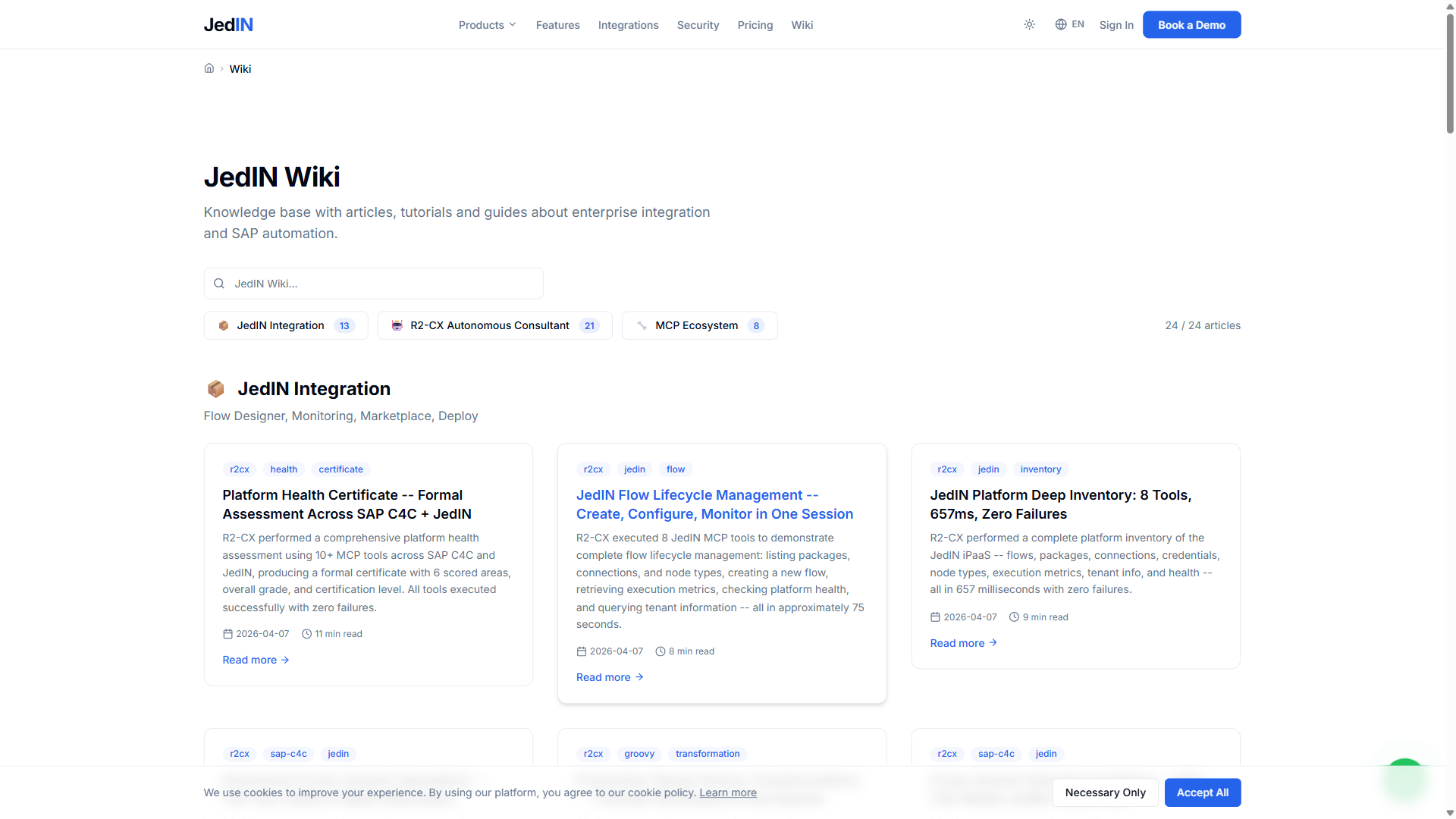
The wiki is accessible from the top navigation bar where it sits alongside Products, Features, Integrations, Security, and Pricing. This placement makes it a first-class section of the platform rather than a buried documentation link.
24 Articles Across 3 Categories
The wiki contains 24 articles organized into 3 categories. The article counter at the top of the page displays "24 / 24 articles" when no filters are applied, confirming the total content inventory.
JedIN Integration -- 13 Articles
The largest category covers the core JedIN integration platform with 13 articles. This category addresses the fundamentals of enterprise integration as implemented in JedIN: flow design concepts, package management, artifact handling, deployment workflows, monitoring, and the connector ecosystem.
Articles in this category serve two audiences. New users learning the platform find getting-started guides and conceptual overviews. Experienced users building production integrations find detailed reference material on flow compilation, runtime behavior, and advanced configuration patterns.
The 13 articles represent the accumulated documentation from months of platform development, distilled from the detailed specification documents and architecture decision records into accessible wiki format. Each article focuses on a specific topic rather than attempting to cover the entire platform in one piece.
R2-CX Autonomous Consultant -- 21 Articles
R2-CX documentation is the most extensive category with 21 articles. This reflects both the complexity of the autonomous consultant system and its rapid evolution from a single-system SAP C4C tool into a multi-product hub supporting 14 target systems.
The R2-CX articles cover the full spectrum of autonomous consultant operations: how the MCP tool protocol works, how browser automation sessions are managed, how OData queries execute through in-browser fetch, how ABSL code generation templates are structured, how cross-system operations are coordinated, and how the analysis engine produces data quality scores and executive reports.
Several articles document specific validation results and benchmarks. These are not marketing materials -- they are technical records of actual test runs with exact tool call counts, execution times, success rates, and failure analysis. The stress test documentation, the cross-system reconciliation records, and the production readiness certification all live in this category as permanent evidence of platform capability.
The 21 articles also serve as a training resource for consultants adopting R2-CX. Rather than learning the system through trial and error, consultants can read documented workflows, understand tool capabilities before invoking them, and review real examples of successful autonomous operations.
MCP Ecosystem -- 8 Articles
The MCP Ecosystem category contains 8 articles covering the Model Context Protocol infrastructure that powers both JedIN and R2-CX. Topics include the MCP server architecture, tool registration and validation, the shared authentication layer (including Azure OAuth2 for Microsoft integrations), and the port allocation scheme across the 14 MCP servers.
These 8 articles are the most technical in the wiki, targeting developers and architects who need to understand or extend the MCP infrastructure. They document the server base class, the tool definition protocol, the request/response format, and the integration patterns that ensure every tool advertised in the UI actually exists and functions in the corresponding MCP server.
Search: Full-Text Across All Articles
The search bar at the top of the wiki page provides full-text search across all 24 articles. Typing a query filters the article grid in real time, matching against titles, descriptions, and content. The article counter updates to show the filtered count (for example, "8 / 24 articles" when a search reduces the visible set).
Search handles both specific technical terms and general concepts. Searching for "OData" surfaces articles about C4C data queries and S/4HANA integration. Searching for "deployment" returns articles about flow deployment, Camel K runtime, and production readiness. Searching for "ABSL" finds the code generation articles in the R2-CX category.
The search implementation is client-side, meaning results appear instantly without network round trips. For 24 articles this is the correct architectural choice -- server-side search would add latency without providing meaningful benefit at this content volume.
Category Filtering
Below the search bar, category filter buttons allow narrowing the article list by topic. Each button displays the category name and article count: JedIN Integration (13), R2-CX Autonomous Consultant (21), and MCP Ecosystem (8).
Categories and search work together. Selecting a category and then typing a search query filters within that category. Clearing the category shows all articles matching the search term across all categories. This two-dimensional filtering (category plus text) lets users quickly navigate to relevant content regardless of whether they know the exact article title or are browsing by topic.
The category counts are static metadata -- they reflect the total articles in each category, not the current filtered count. The filtered count appears in the main article counter above the grid.
Dark Mode: Full Support
The wiki supports dark mode with a complete theme implementation. Every element -- the page background, article cards, search bar, category buttons, navigation, and text -- adapts to the dark color scheme.
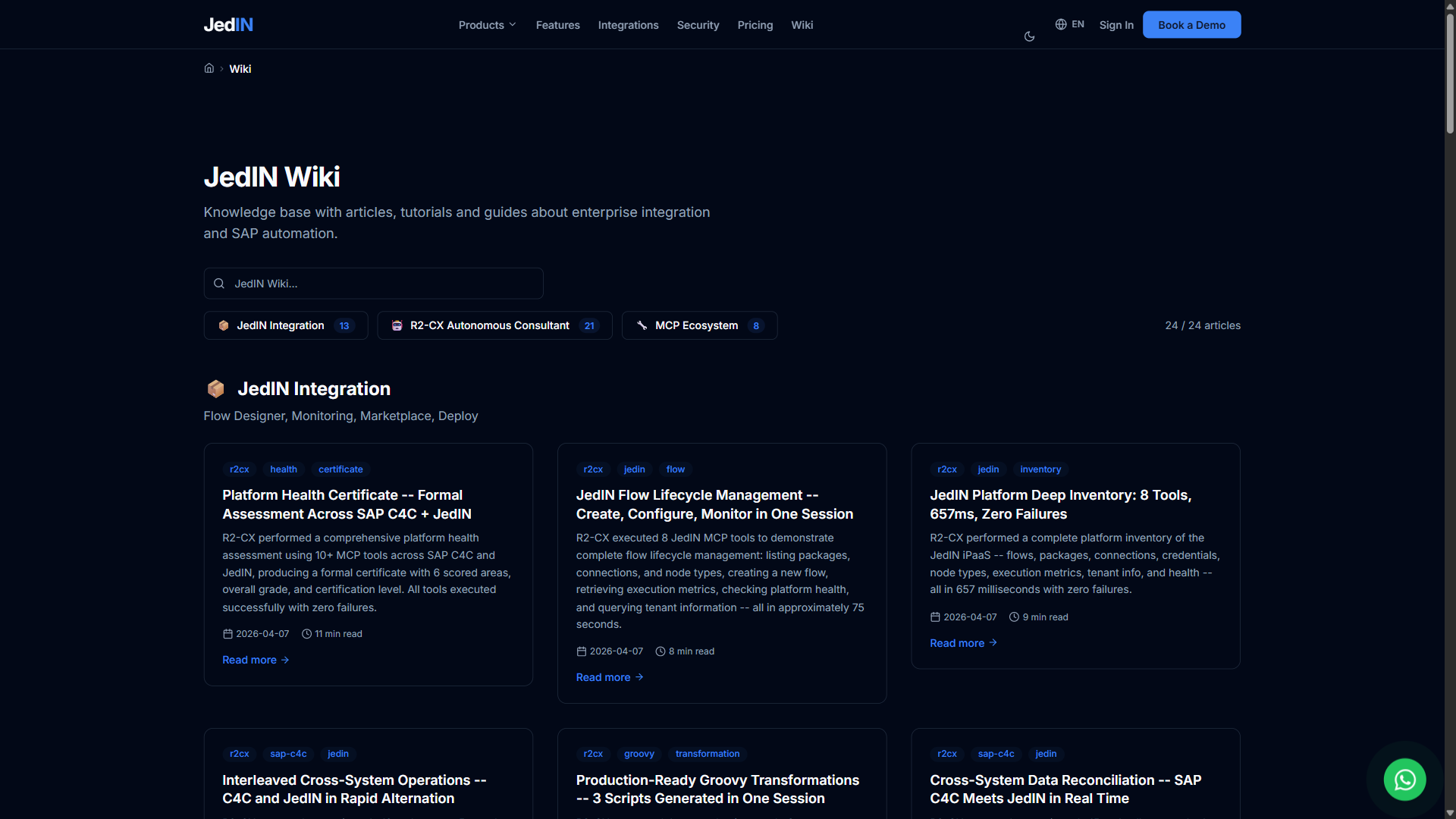
Dark mode is not a simple CSS inversion. The article cards use appropriate background colors for readability in both themes. Text contrast ratios are maintained. The search bar and category buttons use theme-aware borders and hover states. The navigation bar adapts its color scheme to match.
Dark mode is a user preference toggle available across the entire JedIN platform, not specific to the wiki. Switching themes on any page applies the preference globally, and the wiki respects this setting immediately.
Navigation Context
The wiki sits in the public-facing section of the JedIN platform, accessible without authentication. The top navigation bar shows six sections: Products, Features, Integrations, Security, Pricing, and Wiki. This placement positions the wiki as both a documentation resource and a marketing asset -- prospective users can browse the knowledge base to understand platform capabilities before signing up.
The navigation structure reflects a deliberate decision to make documentation a peer of product information rather than a subordinate section. Many platforms bury their documentation behind authentication or in a separate subdomain. JedIN surfaces it at the same navigation level as pricing and features.
Content Strategy: Only Verified Data
Every article in the wiki follows the same editorial principle: only verified data from actual platform operations. Tool counts come from the MCP server registrations. Performance numbers come from timed test runs. Success rates come from logged test results. Architecture descriptions come from the implemented code, not from design documents.
This means the wiki content ages differently from typical documentation. When a tool count changes because a new MCP tool is added, the relevant articles are updated to reflect the new count. When a test suite is re-run with different results, the benchmark articles are updated or a new article is created documenting the new run. The wiki is a living record of platform state, not a static document written once and forgotten.
The 24 articles represent the current content inventory. As the platform evolves -- new target systems reach production status, new validation benchmarks are completed, new integration patterns are documented -- the wiki grows. The category structure and search functionality are designed to scale well beyond the current 24 articles without becoming unwieldy.
Why a Built-In Wiki Matters
Enterprise integration platforms are complex. SAP CPI has hundreds of adapter types. Salesforce has thousands of API endpoints. JedIN itself has 79 tools in its MCP server alone. Without centralized, searchable documentation, users spend time searching external resources, asking support questions, and rediscovering solutions to previously solved problems.
The JedIN Wiki addresses this by putting the knowledge base where the users already are -- inside the platform, one click from the dashboard. The 24 articles covering 3 categories with full-text search and dark mode support represent the foundation of a documentation system designed to grow with the platform rather than fall behind it.
Related Articles
Wiki de Testes JedIN: usuários, senhas, cenários e features por produto
Guia completo pra tester/especialista validar JedIN end-to-end. Inclui credenciais (Cognito + portais), URLs, dados disponíveis, cenários de teste e features de cada produto: Pages, R2-CX, SRE, Utilities, Integration.
JedIN Integration — Complete iPaaS Core Technology Stack
Technical deep dive into the core product of the JedIN platform: Next.js 14, NestJS 10, Prisma 5, Apache Camel K 2.9 + Quarkus + Java 21, KEDA auto-scaling, PostgreSQL 16 with multi-tenant RLS, Redis 7, MinIO, BullMQ, 30 MCPs and 307 tools.
JedIN Platform Architecture — Integration, R2-CX, and MCP Ecosystem
An architectural overview of the JedIN platform — how the Integration product, R2-CX autonomous consultant, and MCP ecosystem of 152 tools work together to deliver enterprise integration and AI-driven system management.